

Compare
AirTag alternatives with no battery, no app, and no subscription tracking
If you are searching for an AirTag alternative, you probably want one of two things: a tracker that does not need battery swaps and an Apple ecosystem, or a way for whoever finds your stuff to actually reach you. Those are different problems, and it is worth being honest about which one you have.
First, the honest part
If your real need is live location, buy a tracker. An AirTag ($29, or $99 for a four pack) shows your item on a map using Apple's enormous Find My network, and it is very good at that job if you carry an iPhone. Tile does something similar with a smaller network and works with Android. A PhoneTag tag does not track location on its own, and we will not pretend otherwise. If you want the map too, the PhoneTag Smart Band holds your AirTag (more on that below).
But a dot on a map has a gap that most people discover the day they lose something: the map tells you where the item is, not how to get it back. If your backpack is sitting in a school office, a coffee shop, or a stranger's car, someone is standing next to it right now who would happily return it. A tracker gives that person no way to reach you. That is the problem PhoneTag solves.
What PhoneTag does instead
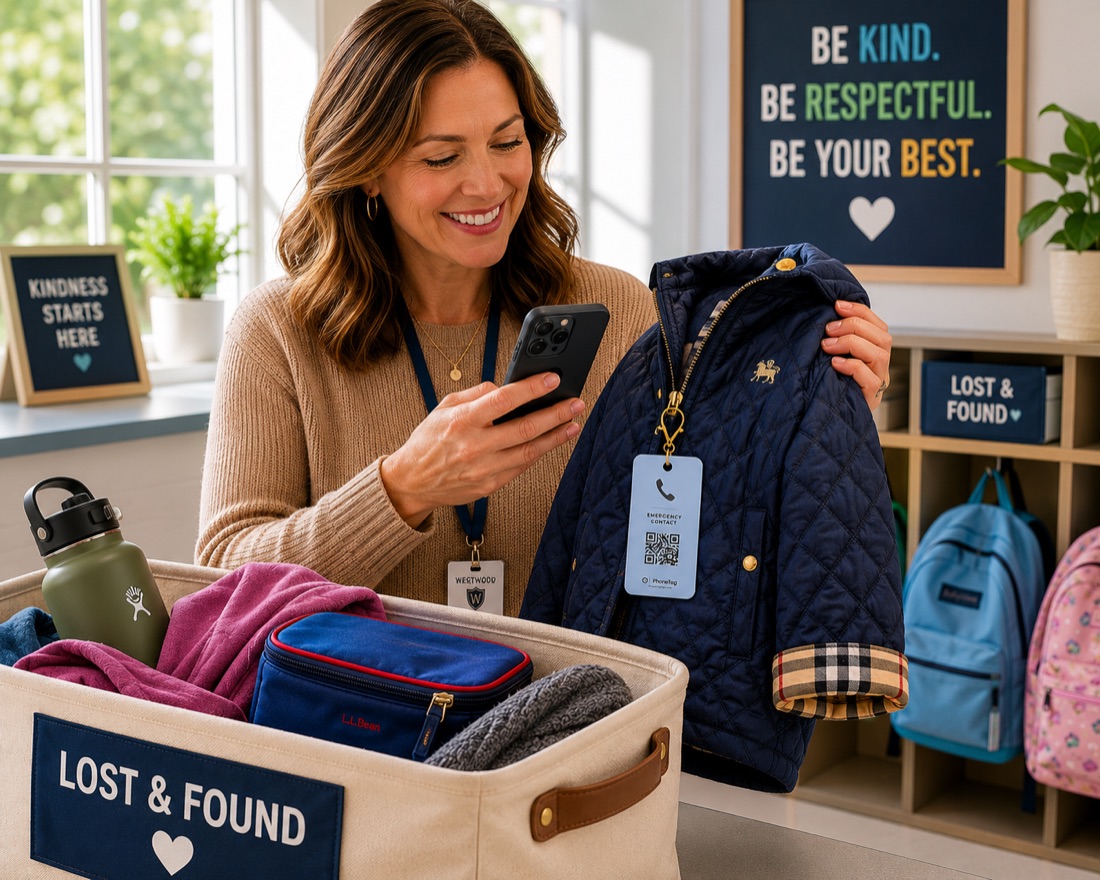
PhoneTag is a smart QR tag with no battery, no charging, and nothing to pair. Whoever finds your item points their phone camera at the tag, and can message you, or start a private live video call with PhoneTag Plus, right in their browser. Any phone works, Android or iPhone, with no app and no account for the finder. Your phone number, name, and address are never shown. If you miss the call, the finder can leave a voice or text message, or, with PhoneTag Plus, an AI receptionist can answer for you and send you the summary.
30-day money-back guarantee.
PhoneTag vs AirTag vs Tile vs engraved tag
| PhoneTag | Smart Band + AirTag | AirTag | Tile | Engraved tag | |
|---|---|---|---|---|---|
| Live location | No | Yes, the AirTag in the band reports to Find My | Yes, via Apple's Find My network | Yes, via Tile's smaller network | No |
| Finder can reach you | Yes, by message, or live video call with PhoneTag Plus | Yes, the same scan-to-call PhoneTag on top | Only if you turn on Lost Mode and choose to share a phone number | Limited, and only through details the owner chooses to share | Yes, by calling whatever number is engraved |
| Phone number stays private | Yes, never shown | Yes, never shown | Private by default, but sharing it is the only way a finder can call you | Private unless you publish it | No, the number is the tag |
| Works with any finder phone | Yes, any phone with a camera and browser | Yes to call you; you need an iPhone to see the map | Tap to read works on most modern phones, but you need an Apple device to track it | Finding depends on phones running the Tile app nearby | Yes |
| Battery | None, ever | Only the AirTag’s coin cell, about a year | Replaceable CR2032, about a year | Yes, varies by model | None |
| Price | $11 a tag, or any two for $19, one time | $11 band (counts toward any two for $19), plus your AirTag | $29 plus a couple of coin cell batteries | Roughly $25 and up per tracker, premium features cost extra | A few dollars, one time |
| Safe to put on a child | Yes, shows a stranger nothing personal | Shows a stranger nothing personal; the AirTag inside keeps Apple’s anti-stalking alerts | Apple says AirTag is for items, not people; on a person it can trigger tracking alerts on nearby iPhones | Same caveat: trackers on people can trigger anti-stalking alerts | Only if you accept the number being public |
A note on that price row: tags and Smart Bands are $11 each, or any two for $19, and you buy them once with no subscription required. Basic is free with every tag: a finder can message you, you reply from your phone, and you get a scan alert. The AirTag is yours. Live video and voice calls and the AI assistant come with PhoneTag Plus, free for your first 30 days, then less than $5 a month billed yearly ($57), or $7 month to month, only if you choose it. Either way, the tag works without a battery, an app, or your phone number printed on your kid's gear.
Who each option is right for
Get an AirTag if you carry an iPhone and your main worry is knowing where something is: keys, a wallet, checked luggage. It is the best tracker you can buy for that.
Get a Tile if you want tracking on Android, understanding that the finding network is smaller.
Get an engraved tag if you want the cheapest possible option and you are comfortable with your phone number being readable by everyone who ever walks past the item.
Get a PhoneTag if the thing you actually lose is kids' gear, and the outcome you want is a human being handing it back. Backpacks, jackets, and lunchboxes almost always end up in someone's hands, not in a field. PhoneTag turns that person into a phone call.
Get the Smart Band if you already use an AirTag and want it, and a way to reach you, on your kid rather than in their bag. The AirTag sits in a pocket under a PhoneTag on a soft wrist band.
Plenty of families use a tracker and PhoneTag together. The tracker tells you the bag is at school. The tag lets the teacher who picked it up tell you it is in room 12.
The tag that calls you
PhoneTags are $11 each, or any two for $19. Buy it once, no subscription required. 30-day money-back guarantee.
Order nowCommon questions
Is PhoneTag a GPS tracker like an AirTag?
No. PhoneTag does not track location. It solves a different problem: when someone finds your lost item, they scan the tag with their phone camera and can message you, or start a private live video call with PhoneTag Plus, right in their browser. If you need a live map of where an item is, an AirTag or Tile does that and PhoneTag does not.
Does PhoneTag have a battery?
No. The tag is a durable printed QR code, so there is no battery to replace, nothing to charge, and nothing to pair. It works the same on day one and day one thousand.
Does the finder need an iPhone or a special app?
No. Any phone with a camera and a web browser works, Android or iPhone. The finder scans the tag and the call opens on a web page. There is nothing to download and no account to create.
Is my phone number shown to the person who finds my item?
Never. The call is routed through PhoneTag, so the finder sees a call screen and nothing else. No name, no number, no address.
AirTag, Find My and iPhone are trademarks of Apple Inc., registered in the U.S. and other countries. Apple Inc. is not affiliated with, and does not sponsor or endorse, PhoneTag. The Smart Band is a PhoneTag accessory that holds an AirTag; the AirTag is sold separately.